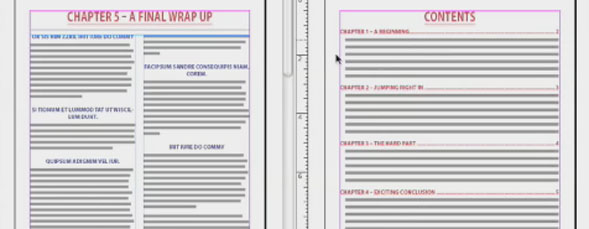
Combine multiple documents into one editable InDesign document.
Author: jeff witchel
Jeff Witchel graduated from Pratt Institute in 1973 with a B.F.A. (Cum Laude) in Advertising Design and Visual Communications. He has been an award-winning advertising art director, writer, designer, illustrator, and TV producer ever since. Before starting his own advertising agency in New Jersey, Jeff built his career at top New York ad agencies such as Young & Rubicam, Grey Advertising, and Wells, Rich, Greene. Over the years, he has created award-winning work for many clients including AT&T, Blue Cross/Blue Shield, Jell-O Pudding, The Plaza Hotel, and Pfizer. His many prestigious awards include N.Y. Art Directors Club Gold Award, One Show Gold Award, N.J. Art Directors Club Award, multiple Andy Awards, Graphis Annual, numerous readership awards, plus an Emmy Award nomination. Jeff is a self-taught computer artist with over 19 years of experience. His initial introduction to the computer was with PageMaker, but he switched to Quark 1.0 when it was first introduced in 1987. Having arrived on the desktop publishing scene so early, Jeff became the "go to" guy for answers when others started getting into computer graphics. As an Adobe Certified Expert, he's provided online support for Adobe and is now an Adobe Certified Training Provider for both Adobe Illustrator CS2 and Adobe InDesign CS2. Jeff is one of just a handful of Adobe Certified Instructors in the New York metropolitan area. He also is a Quark Certified Expert in QuarkXPress 6 as well as a master of Adobe Photoshop and related applications. He counts among his training clients ad agencies, design studios, magazines, illustrators, and photographers in New York, New Jersey, Pennsylvania, and Maryland.
A lot of people are unaware that your text may change properties and they don’t know why.
This happens because:
If you’ve used the Basic Paragraph Style for the text then when you copy from one document to another the text uses the new documents Basic Paragraph Style.
So if your document “A” has basic paragraph style with a text size of “11pt”
And document “B” has a basic paragraph style with a text size of “16pt”
Then document “B”‘s paragraph style is used and you get 16 pt text.
Solution:
Create Paragraph Style for your text
or
(pretty unorthodox – you should create your own paragraph style as above – but you can do the below):
Change the Basic Paragraph Style to match the first document.
It might also be an idea to put the paragraph styles in the document into a Paragraph Style Group, so you know where each style came from.
When you move the pages, or copy text across, the paragraph style will move and the group is also replicated in the moved or copied pages.
This will ensure that you mix up or inadvertently change formatting, as it isolates the paragraph styles (and character styles if you want to make a group for them too) from the other styles in the other documents.
thanks jeff.. this is good information to know, indeed
How do you combine a document with the art so it imports into multiple documents with text (all foreign languages for the typesetter).
There must be a script or a way to move the art in so it will ALWAYS fall into the exact same place under the text files. The art is all PDFs for a 90 page magazine and needs to be combined with 18 different language files.
This way, when it goes to perss, there is a common base (the art) and only the black plate will need to change for the text. there must be a simple way to do this.
Thanks very much for your tutorial on combining InDesign files – in my version of CS5 this technique crashed all the time without giving me the desired result – however I was able to export to CS4 and the technique worked fine for me in that version
You’re awesome. Now I don’t have to look silly when I go into work. I can confidently act like I know what I’m doing. Thanks.
Thanks very much for yours tutorial. IT helps me time saving so much for work. Thanks thanks thanks