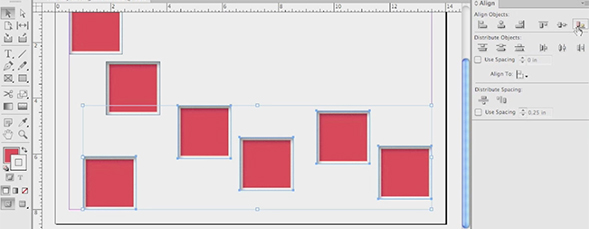
Jeff Witchel goes through the alignment features in InDesign CS6, starting with the basics and moving on to new features like the ability to align selected objects to a key object.

Keys to Alignment in InDesign CS6
By jeff witchel in CS6,InDesign,Tutorial,Video Tutorials
Wednesday September 12, 2012
Similar Articles
Text Wraps in Adobe Illustrator
By jeff witchel Tuesday May 21, 2013
Join Me On The Road: Chicago on Monday!
By RC Concepcion Thursday May 16, 2013
New Portfolio Options at 500px.com
By Matt Kloskowski Wednesday May 15, 2013
3D Movie Title in Adobe After Effects
By Daniel Bryant Friday May 3, 2013
Leave a Response
Popular
- Text Wraps in Adobe Illustrator
- 3D Movie Title in Adobe After Effects
- Simulating 3D in a 2D World in Adobe After Effects – Pt. 2
- Simulating 3D in a 2D World in Adobe After Effects
- Creating Vectors with the new Image Trace Feature in Adobe Illustrator CS6
- Easy Table of Contents Creation in Adobe InDesign
Columns
Reviews


great tutorial, thanks for share!
nice tutorial i am really thanks full to you it’s very need thanks again
Regards
Daniyal Memon
Thank you!
Good tips on alignment in InDesign CS6. If I convert PDFs to InDesign CS6 with PDF2DTP, I could use this to align objects when I edit a PDF in InDesign. Thank you, Jeff!
