
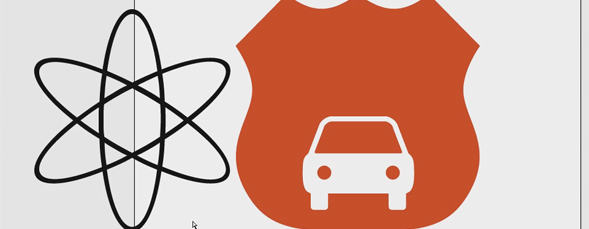
In this video series, Dave Cross shows off some creative ways to use Photoshop and Illustrator together. In the second video, Dave talks about taking basic shapes from Photoshop’s shape tool bibrary of presets and copying them over to Illustrator to use as starting points for vector illustrations.
Using Photoshop and Illustrator Together, Part 2 of 3
By Dave Cross in Illustrator,Photoshop,Tutorial,Video Tutorials
Tuesday December 6, 2011
Similar Articles
Join Me On The Road: Chicago on Monday!
By RC Concepcion Thursday May 16, 2013
New Portfolio Options at 500px.com
By Matt Kloskowski Wednesday May 15, 2013
3D Movie Title in Adobe After Effects
By Daniel Bryant Friday May 3, 2013
Lensbaby Edge 80 Optic
By Mike Mackenzie Wednesday April 24, 2013
Leave a Response
Popular
- 3D Movie Title in Adobe After Effects
- Simulating 3D in a 2D World in Adobe After Effects – Pt. 2
- Simulating 3D in a 2D World in Adobe After Effects
- Creating Vectors with the new Image Trace Feature in Adobe Illustrator CS6
- Easy Table of Contents Creation in Adobe InDesign
- Let Adobe InDesign Do The Math For You
Columns
Reviews


Slick! Thanks.
Thanks for the video. Really interesting and helpful tutorial you made!
