
Universal Type Server
CENTRALIZED FONT-MANAGEMENT SOFTWARE
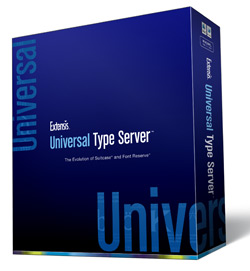 After years of waiting, Extensis has finally brought forth their new font-server product, the Universal Type Server, which comes in two versions: Lite and Professional. The Lite version is for small groups (up to 10 users), while the Pro version is for unlimited users (at a per-user cost).
For this review, I tested the Lite version and installation on the server went easily, without a hitch. After the server install, you switch to a Flash-enabled Web browser to configure the permissions. The nice part of this is that the configuration can be done from any computer on the network, not just the font server client (although it’s easier to access from the client’s). The configurations break down into three main areas: Workgroups, Roles, and Users. Generally, I’d recommend defining roles first, which sets limits for each type of user. Two default users are set up: Font Administrator and Regular User, but others can be defined. The permissions boil down to only a handful of settings that define what each user can do, such as the ability to collect fonts for output or add and remove fonts. After that, it would make sense to set up the Workgroups, which are the main categories of users (for example, by company departments). (Important: Even if you plan on having everyone in the same workgroup, you have to create one; you can’t add fonts to the default All Users workgroup.) And, finally, the users have to be defined.
After the server aspect of the install is set up, you have to install the client software on each machine—Macintosh or Windows, regardless of the server’s platform. From this software, you can then install fonts to a workgroup. (This brings up an issue of mine: I’d prefer to be able to add fonts when setting up the server rather than logging on as a client later.) As mentioned, fonts can be added to the workgroup and synchronized with the server when connected (in case they’re added when offline). If the server isn’t available—either because the client is on the network or the server goes down—the client switches to offline mode and lets the user work with cached fonts (depending on the server permissions). Fonts can also be added to a personal workgroup, which aren’t synchronized with the server.
The client software can run in the background, so the Universal Type client application doesn’t have to be running to activate fonts (unlike Extensis Suitcase). I did notice that when running, the Universal Type client periodically took up a lot of my CPU usage and caused the fans on my MacBook Pro to kick in.
One of the more interesting aspects of the server is that font license information can be (manually) entered, limiting the number of users of a given font to the actual foundry license. In addition, there are other interesting features of the Universal Type Server that space doesn’t permit me to cover, such as Font Sense, which helps distinguish between different versions of the same font. At its website, Extensis has many useful PDFs detailing the many features of Universal Type Server. If you’re in the market for a better way to organize and handle your fonts in a workgroup, you owe it to yourself to check out this software.—David Creamer
PRICE: $1,395 (Lite)
FROM: Extensis
WEB: www.extensis.com
RATING: 4.5
LAYERS VERDICT
HOT Relatively easy to set up; users can work offline
NOT Expensive for small groups (2–5 users)