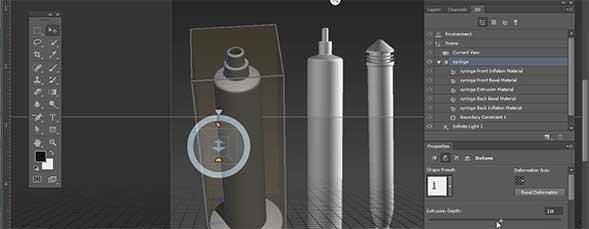
Stephen Burns creates a 3D syringe using Photoshop CS6. By using vector shapes in combination with the lathe shape preset inside the 3D menu, Stephen is able to construct this circular 3D object with ease.

Share & Enjoy


  1. Randy (Reply) on Monday June 18, 2012

    the wrong video is on this post
    it is a repeat of a previous tutorial

  2. Benny (Reply) on Monday June 18, 2012

    Movie is wrong ,please post the right video link

  3. Benny (Reply) on Monday June 18, 2012

    Movie is wrong, post the right video link

    • Aaron Westgate (Reply) on Monday June 18, 2012

      Thank you for your comments. The wrong video was being called in this tutorial. It has been corrected. Sorry for the mixup.

      Thanks
      Web Editor

  4. Sebastian Bleak (Reply) on Monday June 18, 2012

    Great tutorial Stephen! I can’t wait to try this out.

  5. Gerry (Reply) on Monday June 18, 2012

    Thanks this is a great little tutorial. You were very well prepared and the instructions were very concise. I would like to learn more about drawing in 3D with Photoshop.

  6. Kenny (Reply) on Monday June 18, 2012

    3D in Photoshop is more powerful. Thanks for the video.

  7. Feu (Reply) on Monday June 18, 2012

    I can’t see the video tut… Any tech issue?


Planet Photoshop Photoshop World Kelby Training Lightroom Killer Tips NAPP Scott Kelby
