Author: Matt Kloskowski
Matt Kloskowski is the Education and Curriculum Developer for the National Association of Photoshop Professionals. He has authored and co-authored five books on Photoshop and Illustrator and teaches an advanced Photoshop course for Sessions.edu. In addition to being an Adobe Certified Expert in Photoshop and a Macromedia Flash Certified Developer, Matt is a regular contributor to Photoshop User and Layers magazines and writes weekly columns for several digital imaging websites.
Nice tutorial, only I’m having problems with the video working and working at 6:44. It’s like the video is having some sort of problem at that point as I’ve tried to buffer the video and it doesn’t seem to make a difference.
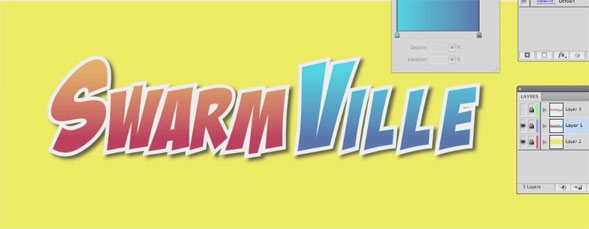
Fantastic! I have been trying to figure out how to do layered type like this forever. You see it in a lot of product logos, and I feel like an idiot for not being able to come up with the solution. Thanks so much, Matt!
Thanks for this wonderful article. Yet another thing to mention is that a lot of digital cameras are available equipped with a new zoom lens that allows more or less of that scene to get included by simply ‘zooming’ in and out. All these changes in focusing length are generally reflected inside the viewfinder and on significant display screen on the back of your camera.
I must be doing something wrong. In the Appearance panel, when I try to move the stroke down below the fill nothing happens. The text is selected with the text tool, but the stroke will not move down below the fill. ????
Nice tutorial, only I’m having problems with the video working and working at 6:44. It’s like the video is having some sort of problem at that point as I’ve tried to buffer the video and it doesn’t seem to make a difference.
Up till that point, very good job, though!
Maybe it’s just me, but the player doesn’t work for me in Firefox. I would have loved to have seen this one…
After my comment, now it works.
As usual very good. Thanks!
wow! first comment! nice!
Fantastic! I have been trying to figure out how to do layered type like this forever. You see it in a lot of product logos, and I feel like an idiot for not being able to come up with the solution. Thanks so much, Matt!
i recently upgraded my Firefox to the Latest and Greatest version [at this writing its 3.6.8] and i saw the whole thing in its entirety.
Oh, Firefox seems to actually bug alot when I use any of the Web Developer tools or any other such plug-ins.
Make sure you have only ONE Java Add-in running. Sometimes ‘upgrading’ actually installs a second but newer version of Java hence the conflict.
Thanks for this wonderful article. Yet another thing to mention is that a lot of digital cameras are available equipped with a new zoom lens that allows more or less of that scene to get included by simply ‘zooming’ in and out. All these changes in focusing length are generally reflected inside the viewfinder and on significant display screen on the back of your camera.
I must be doing something wrong. In the Appearance panel, when I try to move the stroke down below the fill nothing happens. The text is selected with the text tool, but the stroke will not move down below the fill. ????