
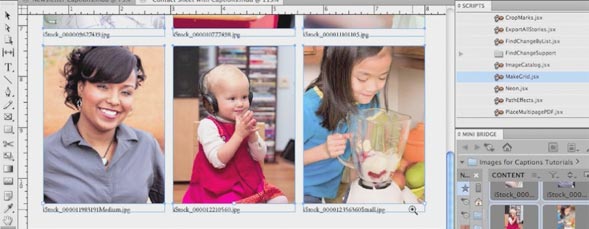
Learn how to use InDesign to create image captions automatically. In this video, the first example is a contact sheet where InDesign automatically creates captions based on the image file names. In another example, use InDesign to add captions to images in a newsletter using the image metadata.

Creating Quick Captions in InDesign CS5
By jeff witchel in CS5,InDesign,Tutorial,Video Tutorials
Monday March 12, 2012
Similar Articles
Join Me On The Road: Chicago on Monday!
By RC Concepcion Thursday May 16, 2013
New Portfolio Options at 500px.com
By Matt Kloskowski Wednesday May 15, 2013
3D Movie Title in Adobe After Effects
By Daniel Bryant Friday May 3, 2013
Lensbaby Edge 80 Optic
By Mike Mackenzie Wednesday April 24, 2013
Leave a Response
Popular
- 3D Movie Title in Adobe After Effects
- Simulating 3D in a 2D World in Adobe After Effects – Pt. 2
- Simulating 3D in a 2D World in Adobe After Effects
- Creating Vectors with the new Image Trace Feature in Adobe Illustrator CS6
- Easy Table of Contents Creation in Adobe InDesign
- Let Adobe InDesign Do The Math For You
Columns
Reviews


Jeff – thanks so much for the wonderful tutorial. I am working on a large project and this will now save me many, many hours. I will re-name each photo and magically create the captions. Thanks again!
Jamie
Jeff – great tutorial and saved me many hours. I’m off to re-name photographs.
Thanks for sharing this. But that was an extremely long tutorial for something you considered a “quick tip.”
thanks for this
Mr. W,
Thanks very much. I will definitely have use for this at work!
Excellent, thank you, unfortunately, there is not a caption option under object menu in CS4. is it hidden somewhere else or is there easy way around it?
Thank you
Jana