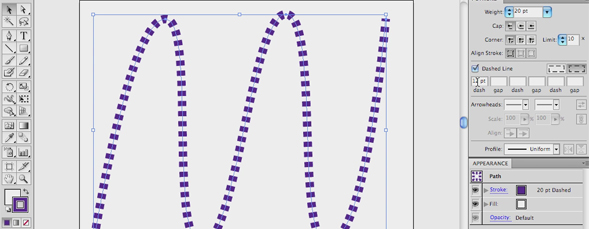
In Illustrator CS5, there are some new features in the stroke panel for creating dashed lines. Follow along with Jeff Witchel as he goes through options for setting up a dash pattern, creating rounded dashes, dotted dashes, and adding color to dashes and even the gaps in between the dash marks.

Share & Enjoy


  1. John Doe (Reply) on Monday March 19, 2012

    Hi Jeff,

    I don’t know if you intended to upload this particular video as you can hear your own personal edits (e.g. @ 27 seconds). Not a big deal, just thought you might want to know.

  2. Jamie Henry (Reply) on Monday March 19, 2012

    absolutely fantastic; working on a large mapping project and this has saved many hours by creating cool bike path lines, walking path lines, etc.

    Thanks Jeff

  3. Jamie Henry (Reply) on Monday March 19, 2012

    thanks Jeff – great tutorial. Working on a mapping project and created fun bike path lines, walking path lines, etc.

    Jamie

  4. Victor (Reply) on Monday March 19, 2012

    Great tutorial Jeff! Thanks!

  5. Kisan Bhat (Reply) on Monday March 19, 2012

    Thanks for this beautiful tip.

  6. Jamie Henry (Reply) on Monday March 19, 2012

    thanks – wonderful tutorial and it helped tremendously on a mapping project I am currently working on for a local company.

    Jamie

  7. Jeff Witchel (Reply) on Monday March 19, 2012

    Hi All,

    Thanks! Glad you liked it!

    Best,

    Jeff

  8. Kathi Jensen (Reply) on Monday March 19, 2012

    Jeff,
    I am having an issue when making my menu the underlines are now dashed and I am a rookie with Illustrator CS5 and are having a difficlut time making them a solid line. When I view the page they look solid, but print dashed. Can you help?

    Kathi


Planet Photoshop Photoshop World Kelby Training Lightroom Killer Tips NAPP Scott Kelby