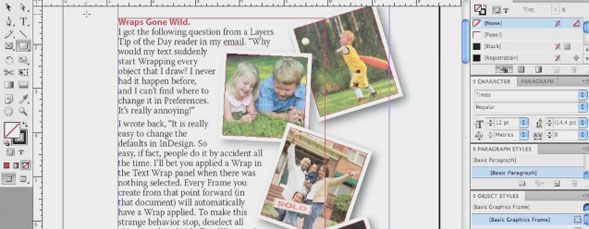
InDesign behaving strangely? Many times it is because users accidentally make changes to the default settings without knowing it. Jeff Witchel goes through some of the common default settings that can get messed up during the course of a normal work flow.

Share & Enjoy


  1. joe (Reply) on Wednesday June 30, 2010

    Thank you for this tutorial. I have gained a better understanding of several fundamental concepts that are crucial to working with InDesign, which is a very complex software application.

  2. Eugene (Reply) on Wednesday June 30, 2010

    Ah you nearly got there – so close Jeff :)

    When you change any attribute in the Basic Paragraph with no documents open it does become the default for new documents, that part is true.

    But if you send that indesign file to a colleague or a client that has InDesign, the Basic Paragraph attribute that is used in the InDesign file you send is ignored. Basically, whatever Basic Paragraph settings your client or colleague is using is used rather than the style settings in your InDesign file.

    So if I change my default Basic Paragraph setting to Perpetua 10pt with 16pt leading, and I send that file to Jeff. And Jeff has set his Basic Paragraph Style to Book Antiqua 8pt with 14 pt leading, well the InDesign file I sent will open on Jeffs computer using Jeffs Basic Paragraph Style setting.

    And there is no way to check to see, all Jeff sees is my layout using his Basic Paragraph Style.

    Generally I create a new document with all my trinkets in text frames and swatches.

    For example I will have a text frame with:
    Heading 1_sp
    Heading 2_sp
    Heading 3_sp
    etc.
    Body_sp
    Bullets_sp
    Numbered List_sp

    All in the one file.

    I then do as Jeff has done at the start, a page with squares of colours that I use for my colour palette for most jobs.

    I create object styles for my text frames, for my graphic frames and all other styles I can think of.

    Once I have this file created I save it and store in a safe place.

    I then close all my open documents. And use the fly out menu from the Object Styles to Load Styles and I then Load the Styles from the document I created.

    I do the same with Paragraph Styles, and with the swatches – load them from the Sub Menu (flyout menu) for each panel.

    These are now my new document settings for all new documents. Great.

    The last thing you have to do before creating a new document is now to select Body in the Paragraph Style, and whatever swatch you want to be default, these things in the Style panels and the Swatches must be highlighted BEFORE creating a new document.

    Now when I create a new document the Body paragraph style is selected and ready to go.

    You may be wondering why I added “_sp” to the Style Names.

    Well lets say Jim in the UK is reading this and he says to himself I’m going to name my styles Body etc. and then Joe in the US decides “I’ll do the same!”. Then Jim sends Joe a file, but they have used the exact same file names, then Joe’s styles will be used instead of Jim’s! Not good.

    So put a declaration at the end of the style name to make unique, your initials or date or something, initials are good because there could be two people working on the same file and you want to know who is making styles, for example.

    But I would never alter the Basic Paragraph or any Basic style in InDesign. It can end up in world of hurt. You may say now that you don’t ever send your files, it’s not company policy, it’s not my policy I only ever send PDFs. But you may not work for someone who does that now, or your circumstances may change, or you may get a big client who will pay big bucks to have the InDesign files with styles in tact.

    So please… don’t alter the Basic Paragraph or any of the Basic styles. In some cases it will end badly.

  3. Eugene (Reply) on Wednesday June 30, 2010

    Oh yeh – why do I save a file with all my trinkets in it? Well the answer is simple. Sometimes InDesign behaves badly you have to reset the preferences by holding down the modifier keys – and this wipes any default settings you have made. So it’s a royal pain to have to create all your swatches and your styles again. It’s far easier to just load them from a master file with no documents open.

  4. Eugene (Reply) on Wednesday June 30, 2010

    I totally lost the run of myself there.

    If you open a file the font remains the same as what you expect. It’s when you’re copying from file to file that issues arise.

    I kept saying “opening” in my post – and just wanted to clear it up that you’ll have issues copying from one document to another. Opening should be fine. But be aware that changing the Basic Paragraph style can have consequences.

    • Jeff Witchel (Reply) on Wednesday June 30, 2010

      Hi Gene,

      I wrote a tip a while back about pasting copy with a Paragraph Style of the same name from one document to another.

      Best,

      Jeff

      _______________________________________

      When It Comes to Style, Everything’s In a Name.

      Recently, I stumbled across a tip totally by accident. I was copying formatted text from an older brochure layout and pasting it into a new version of this layout. The look of the brochure had changed dramatically, especially the formatting of the subheads and body copy.

      The text I copied from the old brochure had a Paragraph Style applied to it with the name “Copy 10/11 with Space.” The text in the new document had a Style with exactly that same name. Much to my surprise, when I pasted the copy into my new brochure, it dropped the old formatting and picked up the updated Paragraph Style formatting of my new brochure.
      _______________________________________

  5. halllinds (Reply) on Wednesday June 30, 2010

    prepared tonne united signed

  6. bali wedding photography (Reply) on Wednesday June 30, 2010

    ccimmuuiiww

  7. Cynthia (Reply) on Wednesday June 30, 2010

    Please help….I’ve tried everything you say, and nothing is working.

    I have this awful default of WHITE text in some unwanted font….and worse yet: it always has a black frame around it.

    Even when I close all ID documents, reset paragraph preferences for typeface/size/color, nothing changes when I open an existing design and continue working in it.

    Any suggestions….thank you in advance for helping me to not pull all my hairs out of my head and not lose my voice,
    Cynthia


Planet Photoshop Photoshop World Kelby Training Lightroom Killer Tips NAPP Scott Kelby