Easter Photo Shoot in Lightroom 2

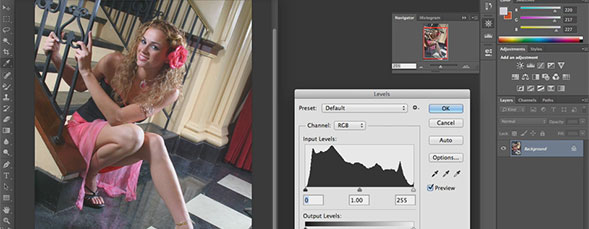
RC is taking the images from his Easter photo shoot and working on them in Lightroom 2.

This keyboard shortcut will allow you to click inside the display window and automatically select the layer of the object you click on. createObject(‘swf’,’/design/players/swfplayer.swf?video=videos/day502.flv’,’width’,’500′,’height’,’415′,’scale’,’exactfit’,’quality’,’high’,’allowScriptAccess’,’sameDomain’,’bgcolor’,’#ffffff’); Download here

Working with the Effects Panel in InDesign

Layers Tip of the Day writer, Jeff Witchel has created this video tutorials sharing some of his popular tips for working with the effects panel in InDesign.

This carousel display is only available with Adobe Bridge in CS4. createObject(‘swf’,’/design/players/swfplayer.swf?video=videos/day501.flv’,’width’,’500′,’height’,’415′,’scale’,’exactfit’,’quality’,’high’,’allowScriptAccess’,’sameDomain’,’bgcolor’,’#ffffff’); Download here

The Digital Camera: Light Control

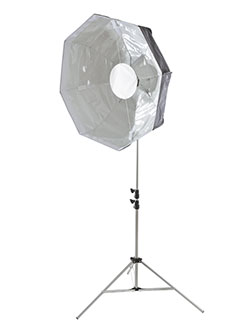
Professional photographers who focus on people photography and portraits never leave home without a reflector, a handheld diffuser, and a flash diffuser. Read this column to see how Rick Sammon controls the light both indoors and outdoors.

Using Dynamic Web Templates in Dreamweaver, Part 2

Janine Warner talks about combining dynamic web templates with cascading style sheets in Dreameaver.

Launch a quick slideshow, right from Adobe Bridge. createObject(‘swf’,’/design/players/swfplayer.swf?video=videos/day500.flv’,’width’,’500′,’height’,’415′,’scale’,’exactfit’,’quality’,’high’,’allowScriptAccess’,’sameDomain’,’bgcolor’,’#ffffff’); Download here

Popping Animation Effect in Adobe After Effects

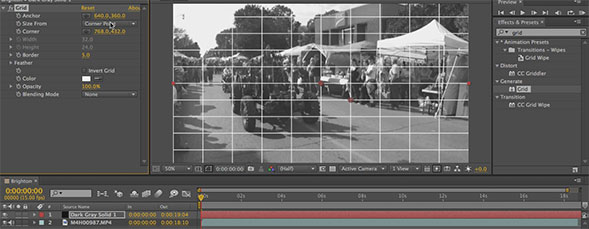
This tutorial will set up the popular “popping” animation effect and will use the new CS4 Wiggle Transform operator.

Planet Photoshop Photoshop World Kelby Training Lightroom Killer Tips NAPP Scott Kelby