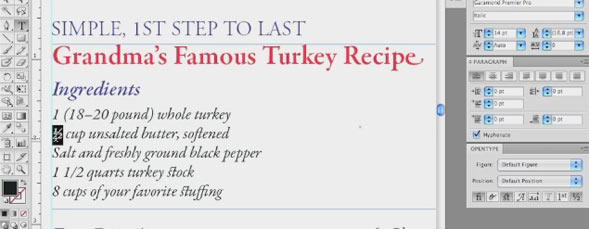
Enhance your type design using Illustrator’s open type options. This video shows users how to utilize the useful tools in the glyphs panel.
Open Type in Adobe Illustrator
By jeff witchel in Illustrator,Tutorial,Video Tutorials
Tuesday December 7, 2010
Similar Articles
Text Wraps in Adobe Illustrator
By jeff witchel Tuesday May 21, 2013
Join Me On The Road: Chicago on Monday!
By RC Concepcion Thursday May 16, 2013
New Portfolio Options at 500px.com
By Matt Kloskowski Wednesday May 15, 2013
3D Movie Title in Adobe After Effects
By Daniel Bryant Friday May 3, 2013
Leave a Response
Popular
- Text Wraps in Adobe Illustrator
- 3D Movie Title in Adobe After Effects
- Simulating 3D in a 2D World in Adobe After Effects – Pt. 2
- Simulating 3D in a 2D World in Adobe After Effects
- Creating Vectors with the new Image Trace Feature in Adobe Illustrator CS6
- Easy Table of Contents Creation in Adobe InDesign
Columns
Reviews


[...] Open Type in Adobe Illustrator December 7th, 2010 [...]
thanks for this excellent & handy tutorial
(especially for a beginner like me)
Hi musc,
Glad you liked it.
Best,
Jeff
we all like it thanks for guidance
[...] Open Type in Adobe Illustrator Layers Magazine | Layers Magazine [...]
Great tutorial Jeff! Now I know why I was having issues at times, trying to figure out what font was used in a document I had to replicate.
Hi
I think that the tutorial is great and I would love to use this and make my life easier but I have CS2 and this option is there but I cannot access it. My question is, is it me or is it the Illustrator program that is not letting me do it?
Thanks.
Hi Jeff,
Thank you for the massively helpful tutorial. Do you know how do get a small caps effect, like on Word?
Best,
Alli

