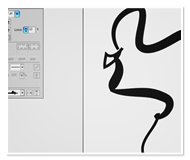
Create organic shapes and get more creative with your strokes by clicking anywhere along the stroke path and dragging to increase or decrease size in Illustrator CS5.

Author: RC Concepcion
Rafael Concepcion (RC) is an education and curriculum developer for the National Association of Photoshop Professionals, and the co-host of Layers TV - The How To Podcast For Everything Adobe. An Adobe Certified Instructor in Photoshop, Illustrator, and Lightroom, RC has over 10 years in the I.T. and ecommerce industries and spends his days developing content for all applications in the Adobe Creative Suite. RC has held training seminars in the U.S., Europe, and Latin America, and recently combined his photographic and web experience to teach with famed wildlife photographer Moose Peterson at the "You Can Do It Too" workshops in Mammoth, CA and at the Voices That Matter Web Conference in San Francisco, CA. RC also writes columns for Layers and Photoshop User magazines.
Nice, concise video; thanks for sharing!
Great video! Cool feature!
thanks for this handy video
was great