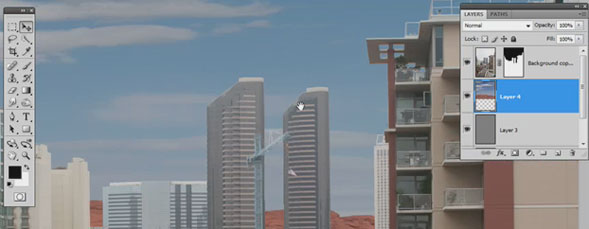
Finishing up the composite that was started in Part 1 of this tutorial.

Share & Enjoy


Similar Articles


  1. Adam (Reply) on Tuesday April 27, 2010

    Nice tutorial. Effective and to the point. I did think you were gonna use the defringe. Gaussian blur does look better, thank for the tip.

  2. Hector (Reply) on Tuesday April 27, 2010

    Again, a really fantastic tip for redefine the edges of an image. It’s too good to be true….. Thanks.

  3. designfollow (Reply) on Tuesday April 27, 2010

    great tutorial.

    thank you very much.

  4. uucuo (Reply) on Tuesday April 27, 2010

    good turtrial !

  5. Rosanne Cleveland-King (Reply) on Tuesday April 27, 2010

    Very nice; I cut out a lot of flowers using various methods, and this is new for me. I’m sure I’ll be using it a lot. Thank you!

  6. Canistel Design (Reply) on Tuesday April 27, 2010

    bravo.. thanks steven

    it’s fantastic that tutorials like this are available online to continue my graphic design education indefinitely :-)

  7. Erez (Reply) on Tuesday April 27, 2010

    nice and simple.
    thank you Steven.

  8. Alejandra (Reply) on Tuesday April 27, 2010

    you’re amazing!!

  9. Tom (Reply) on Tuesday April 27, 2010

    I enjoyed watching these 2 tutorials and see from them many ways I can apply the techniques. Excellent teaching style.

  10. Srka (Reply) on Tuesday April 27, 2010

    I tried many other techniques and I never good result as good as this. Thanks man you saved me a lot of time :)

    Excellent tutorial!

  11. Vid (Reply) on Tuesday April 27, 2010

    Thanks! Really smart.

  12. Dave (Reply) on Tuesday April 27, 2010

    Thank you so very much, that was truly a fantastic tutorial! For some reason I knew you were gonna use gaussian blur, but that is all i know! EVERYTHING you did with it was superb, the levels, the edge control – I am just so thankful I had to comment on how much i appreciated your sharing of talent!

  13. Davo (Reply) on Tuesday April 27, 2010

    Exelent…!!!1


Planet Photoshop Photoshop World Kelby Training Lightroom Killer Tips NAPP Scott Kelby