
Anime Studio Debut 6
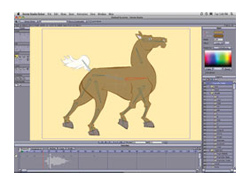
AFFORDABLE 2D ANIMATION SOFTWARE
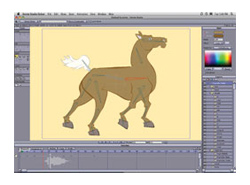 Have you ever wanted a fast, inexpensive way to create your own cartoons and animations? Well your wait is over! With Anime Studio Debut 6 you can get your 2D animations up to speed with your own designs or you can use the pre-packaged characters, props, video, and sounds to create cool cartoons quickly. So let’s take a look at what makes Anime Studio Debut 6 a great find and a significant upgrade from Anime Studio 5.
The two features that I’d say make this upgrade worthwhile are the amplitude-based lip-syncing and motion tracking. These two items can take a beginner’s animations to the next level. The drawing tools include a great set of basic, vector drawing tools that provide freehand drawing, shading, and shape tools that, when used correctly, can be pretty powerful. Note though that you won’t be able to do complex drawings as you can in Photoshop but you can get some great results if you use the tools properly.
You can publish your videos straight to YouTube or other TV and Web formats, giving you a polished final output to show off to the world. Finally, the bone system has been upgraded for Anime Studio Debut 6. The bones now morph animated shapes more naturally and allow a quicker, easier process to animate your characters. For the price, you can’t beat this software’s capabilities and features to produce animation.
Anime Studio Debut 6 is an easy-to-use program and a great (and inexpensive) tool for designers who want to get into character animation. It’s also a time-saver and with its feature set, it’s a must-have for designers who want to improve their animation skills.—Bruce Bicknell
Company: Smith Micro Inc.
Price: $49.99
Web: www.mysmithmicro.com
Rating: 4.5
Hot: Bone system; lip-syncing; motion tracking
Not: Drawing tools aren’t advanced